
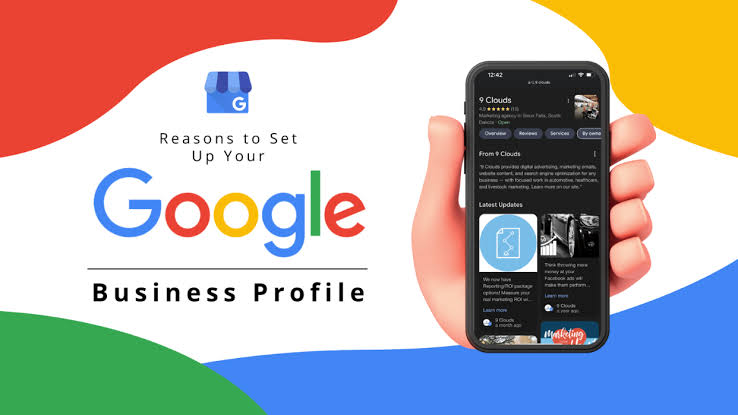
Google Business Profile Optimization: 10 Steps to Get More Local Calls
A step-by-step guide to optimizing your Google Business Profile - categories, services, photos, reviews, posts and Q&A - so more nearby customers call, visit and book.
Your Google Business Profile is often the first thing a local customer sees, before your website. A complete, active profile appears more often in Google Maps and the local “3-pack,” and turns searches into calls, direction requests, and bookings. This guide walks through Google Business Profile optimization step by step, in the order that makes the biggest difference.
Why Google Business Profile Optimization Matters#
When someone searches for “dentist near me” or “CA in Thane,” Google shows a map with three businesses before the normal results. Those three profiles can receive a significant share of clicks and calls. Google determines local rankings using three main signals:
-
Relevance: How well your profile matches what was searched.
-
Distance: How close your business is to the searcher.
-
Prominence: Your reviews, links, mentions, and overall reputation.
You cannot directly change distance, but you can improve relevance and prominence with the steps below.
Step 1: Claim and Verify Your Profile#
Search for your business name on Google Maps. If a profile exists, click “Own this business?” and follow the available verification steps, which may include video, phone, email, or other methods offered by Google.
A verified profile gives you access to the available management features and helps you keep your business information accurate and up to date.
Step 2: Choose the Right Primary Category#
The primary category is an important relevance signal. Choose the most specific option that describes your main service. For example, select “Digital marketing agency” instead of a broad category such as “Marketing,” if it accurately describes your business.
Then add secondary categories for other services you genuinely offer.
Tip: Review the categories used by your top three competitors. This can help you understand how they position their businesses for relevant local searches.
Step 3: Keep Your NAP Consistent Everywhere#
NAP stands for Name, Address, and Phone number. Keep these details consistent across your Google Business Profile, website footer, contact page, and business directories such as Justdial, Sulekha, and IndiaMART.
Even small differences in business information can confuse customers. Use the same accurate business details wherever your business is listed.
Step 4: Write a Helpful Business Description#
Google Business Profile allows a business description of up to 750 characters. Use this space to explain what you do, who you help, the areas you serve, and what makes your business different.
Include your main keyword naturally where relevant. Avoid keyword stuffing, promotional claims that cannot be substantiated, and links in the description.
Step 5: Add Services and Products#
List the services you offer with clear descriptions and, where appropriate, pricing information. This helps potential customers understand what your business provides.
Example Service List for a Marketing Agency#
-
Local SEO: Google Maps optimization and business citation building.
-
Google Ads Management: Search and Performance Max campaign management.
-
Website Development: Fast, mobile-friendly websites for businesses.
Make sure every listed service accurately reflects what your business offers.
Step 6: Upload Real Photos Every Month#
Use authentic, high-quality photos to help customers recognize your business and understand what to expect. Add your logo, cover photo, office exterior, interior, team pictures, and work samples where applicable.
Avoid stock images when presenting photos as actual pictures of your business.
| Photo Type | Suggested Dimensions | Recommended Frequency |
|---|---|---|
| Logo | 720 × 720 px | Update when needed |
| Cover Photo | 1024 × 576 px | Update every 3–6 months |
| Team or Work Photos | 1200 × 900 px | Add 2–4 per month |
These are suggested working dimensions, not mandatory Google specifications. Check Google's current image requirements before uploading.
Step 7: Get More and Better Reviews#
Customer reviews help build trust and contribute to your business's online reputation. Ask customers for honest feedback after a completed service, and share your direct review link through WhatsApp or email.
Respond professionally to every review. Thank customers for positive feedback and address negative reviews calmly, offering a practical solution where appropriate.
A Simple Review Request Message#
Hi Priya, thank you for choosing us! If you were happy with our service, could you share a quick review using the link below? Your feedback helps other businesses find us: [Your Review Link]
Never offer incentives in exchange for reviews or pressure customers to leave only positive feedback.
Step 8: Publish Google Posts Weekly#
Use Google Business Profile posts to share relevant offers, events, announcements, and business updates.
Aim to publish one useful update per week, including a relevant photo and a clear call to action, such as “Call now” or “Book.” Focus on information that helps customers make a decision rather than posting solely for frequency.
Step 9: Answer Questions in the Q&A Section#
Customers may ask questions about your business, services, opening hours, or location.
Monitor available customer interactions and provide accurate answers to common questions. You can also publish FAQs on your website to address common customer concerns and make essential information easier to find.
Step 10: Track Results and Keep Improving#
Open the Performance report in Google Business Profile regularly to monitor available metrics, including calls, direction requests, website clicks, and search terms.
Review the results monthly to identify which services and customer interactions matter most. Use these insights to improve your profile information, publish more useful updates, and highlight services that customers are actively searching for.
Businesses that consistently maintain accurate profiles and add relevant photos give potential customers more useful information when deciding where to go.
BestoSEO Local SEO Team
Quick Checklist#
-
Profile verified and business information completed.
-
Relevant primary category and appropriate secondary categories selected.
-
Name, address, and phone number consistent across listings.
-
Services listed with clear descriptions.
-
New business photos added regularly.
-
Honest customer reviews requested and responses provided.
-
Useful Google Business Profile posts published regularly.
-
Performance report reviewed monthly.
Want More Calls from Google Maps?#
Our team can audit and optimize your Google Business Profile to help improve your local search presence and make it easier for customers to discover your business.
FAQ